

Setup takes about two minutes and involves making a free Spotify developer app. It’s a four-box form, not a coding exercise — the walkthrough below covers every click.
Connecting
auth, login, link.
Spotify doesn’t let our application control other people’s playback on their behalf, so each person makes their own free developer app and hands mira its two keys. It sounds far worse than it is — it’s a form with four boxes and it takes about two minutes. Follow the steps below and you’ll be done before you’ve finished reading this paragraph twice.
You only ever do this once. After it’s connected, every Spotify command just works, in every server.
Making your app
Open the dashboard
Go to the Spotify Developer Dashboard and log in with your normal Spotify account. There’s nothing to sign up for and nothing to pay.The first time you visit, Spotify asks you to accept its Developer Terms of Service. Accept it and you’ll land on an empty dashboard.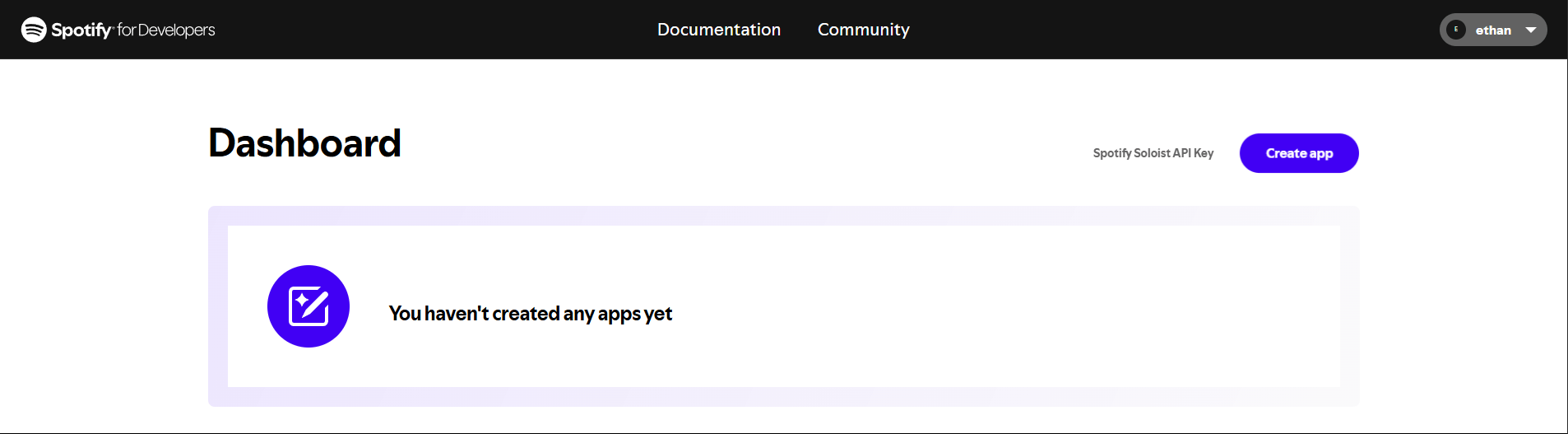
Click Create app
The button is on the right-hand side of the dashboard.
Fill in the form
Four things matter, and only one of them has a correct answer: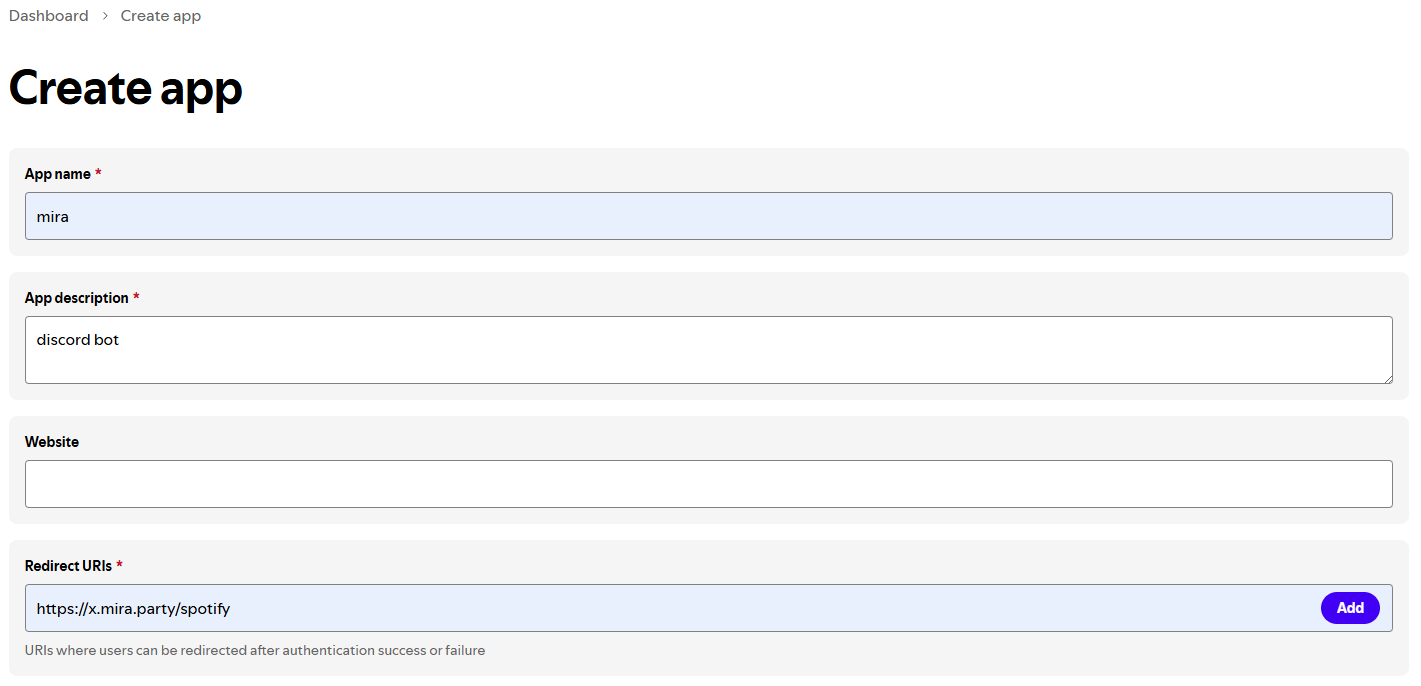
For the redirect URI, copy the exact URL that mira showed you in the
!spotify connect message. It’s in a code block near the bottom, ending in /spotify.Tick “Web API”
Under Which API/SDKs are you planning to use?, tick Web API. Leave the others alone.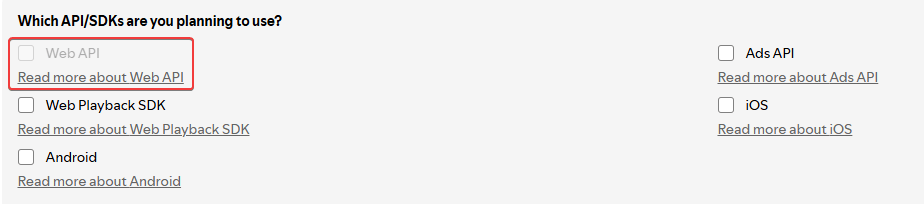
Agree and save
Tick the Developer Terms of Service box and click Save. Your app is created.
Copy your two keys
You’re now on the app’s page. Click Settings in the top right.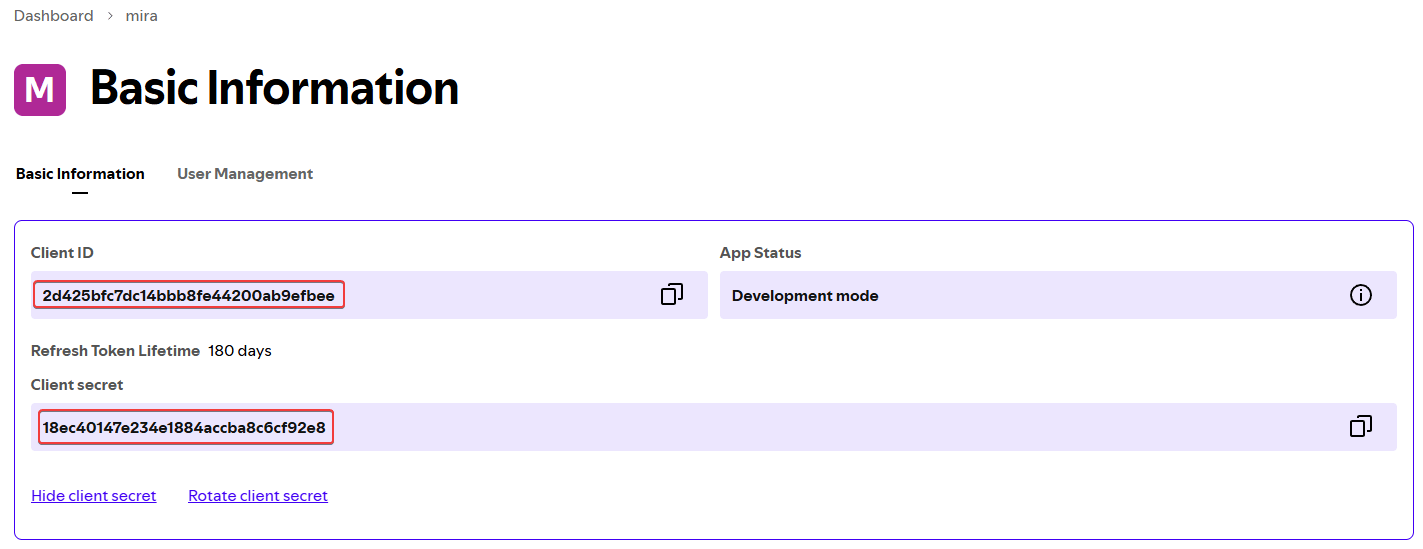
- Client ID is shown directly on that page
- Client secret is hidden behind a View client secret link — click it to reveal
Give them to mira
Back in Discord, click Connect Application on the message mira sent you, and paste the two values into the form.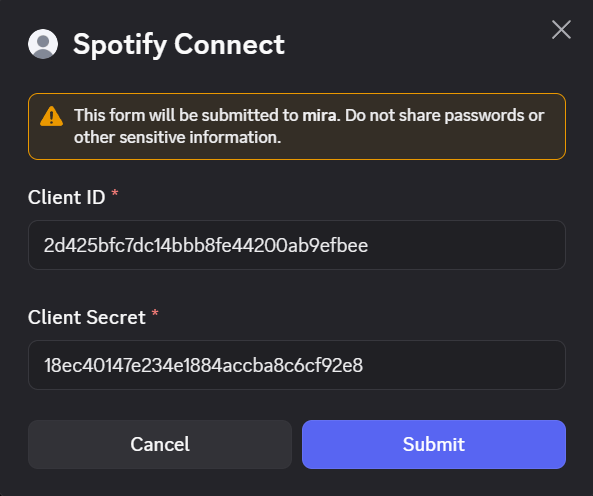
If something goes wrong
INVALID_CLIENT: Invalid redirect URI
INVALID_CLIENT: Invalid redirect URI
The single most common failure, and it’s almost always one of two things:
- You typed the redirect URI but never clicked Add, so it was never saved
- It doesn’t match what mira expects, exactly — no trailing slash, no
httpwhere it should behttps
It says my app is in Development Mode
It says my app is in Development Mode
That’s expected and completely fine. Development Mode apps work normally for the person who owns them — you don’t need to request an extension or fill in any review form.Two things to know about it, both changed by Spotify in February 2026:
- The app owner needs an active Spotify Premium subscription. You already need Premium for playback control, so this changes nothing in practice — but if your Premium lapses, the app stops working until you resubscribe.
- New apps are limited to 5 users each. Since you made this app for yourself, that’s irrelevant.
I can't create an app / I already have one
I can't create an app / I already have one
Spotify briefly limited new accounts to a single Client ID in early 2026, then raised it to 25 in July 2026. If you hit a limit, reuse an app you already have — nothing stops you pointing an existing app at mira’s redirect URI, as long as you add it rather than replacing what’s there.
Missing required scopes
Missing required scopes
You approved the authorisation page but unticked something, or you’re reconnecting an app that was previously authorised with fewer permissions.Run
!spotify disconnect, then !spotify connect again and accept everything on the Spotify page.Disconnecting
unlink, logout, dc. Removes your keys from mira. You can also revoke access at any time from your Spotify account’s apps page, and delete the developer app entirely from the dashboard.
The now-playing panel
np, nowplaying, current. An interactive panel with playback controls — the most useful command in the group, because everything else is one button away.
Playback
Queue and library
spotify addto (aliases save, addplaylist) opens a dropdown of your playlists — no track argument needed if you want the current one.
Devices
devices, dev, transfer. Lists your active Spotify devices and lets you move playback between them. Useful when playback commands appear to do nothing — usually it’s targeting a device you’re not listening on.
Searching
al, ar, pl, mpl.
Lyrics
lyric, lyr.
Standalone lyric search is !lyrics <query>, which uses Genius.
Common problems
Commands do nothing
Commands do nothing
Spotify needs an active device. Play something in the Spotify app first, then use
!spotify device to confirm mira is targeting the right one.Playback control is refused
Playback control is refused
Playback control requires Premium. Free accounts can still use the search, now-playing and lyrics commands.
It stopped working
It stopped working
Run
!spotify connect again — you already have the app, so it’s just a matter of pasting the same two keys back in.If it’s been failing since February 2026, check your Premium is still active: Spotify now requires the owner of a Development Mode app to be a Premium subscriber, and the app stops working the moment that lapses.Setup problems
Setup problems
Redirect URI errors, Development Mode questions and missing scopes are all covered under If something goes wrong.
Related
- Last.fm — scrobbles, charts, and who-knows leaderboards
- Music — a shared queue in a voice channel
!play presence— queue what you’re listening to into the voice channel